
What Agentic Engineering Is
Why This Matters
Most people start with AI by pasting a question into a chat window and copying the answer back into their editor. That works for snippets. It does not work for features, because the model never sees your repository, never runs your tests and never finds out that its answer broke something.
A coding agent closes that loop. It reads files, edits them, runs commands and looks at the results, then decides what to do next. That changes your job: you stop writing every line and start directing, reviewing and building the guard rails. That discipline is what we call agentic engineering.
Prompts versus agents
| Prompting a chat model | Working with a coding agent | |
|---|---|---|
| Sees | What you paste | Your repository, terminal output, test results |
| Acts | Writes text | Reads, edits, runs commands, iterates |
| Feedback | You test it yourself, later | It runs the tests and reacts to failures |
| Your role | Author who asks for help | Lead who sets goals, context and limits |
| Main risk | Wrong snippet | Wrong change across many files that looks finished |
The last row matters most. An agent can produce a large, plausible change in minutes. The skill is no longer typing speed; it is knowing what to ask for, what to check and what to automate so you do not have to check it by hand.
The agent as a colleague, not autocomplete
Treat the agent like a fast new team member on day one:
- It is capable but has no context. It does not know your conventions until you write them down (lesson 3, Context Architecture: CLAUDE.md, AGENTS.md and Rules).
- It works best with a clear outcome. “Add a status filter, keep the table tests green” beats a list of ten micro-steps (lesson 2, Build Your First Feature with an Agent).
- It needs review. Not because it is careless, but because it optimises for “done” and can quietly take shortcuts (lesson 12, Failure Modes of AI-Generated Code).
- It improves with feedback that persists. A correction you write into CLAUDE.md or a skill helps in every future session; a correction in chat helps once.
Where it already works, and where to stay careful
Agents are strong today at well-scoped features in an existing codebase, writing and fixing tests, refactoring with a test safety net, explaining unfamiliar code, and repetitive changes across many files.
Stay careful with security-sensitive code (authentication, payments, permissions), database migrations and anything irreversible, large architectural decisions, and code where nobody on the team can judge whether the result is right. In those areas the agent can still help, but a human decides and reviews every step.
The example project: TestRun Board
Throughout the course we use one small project so every lesson builds on the previous one. TestRun Board is a React + Vite + TypeScript dashboard that lists CI test runs with their suite, status and duration. It has unit tests (Vitest), end-to-end tests (Playwright) and a npm run check script that runs lint, typecheck and tests.
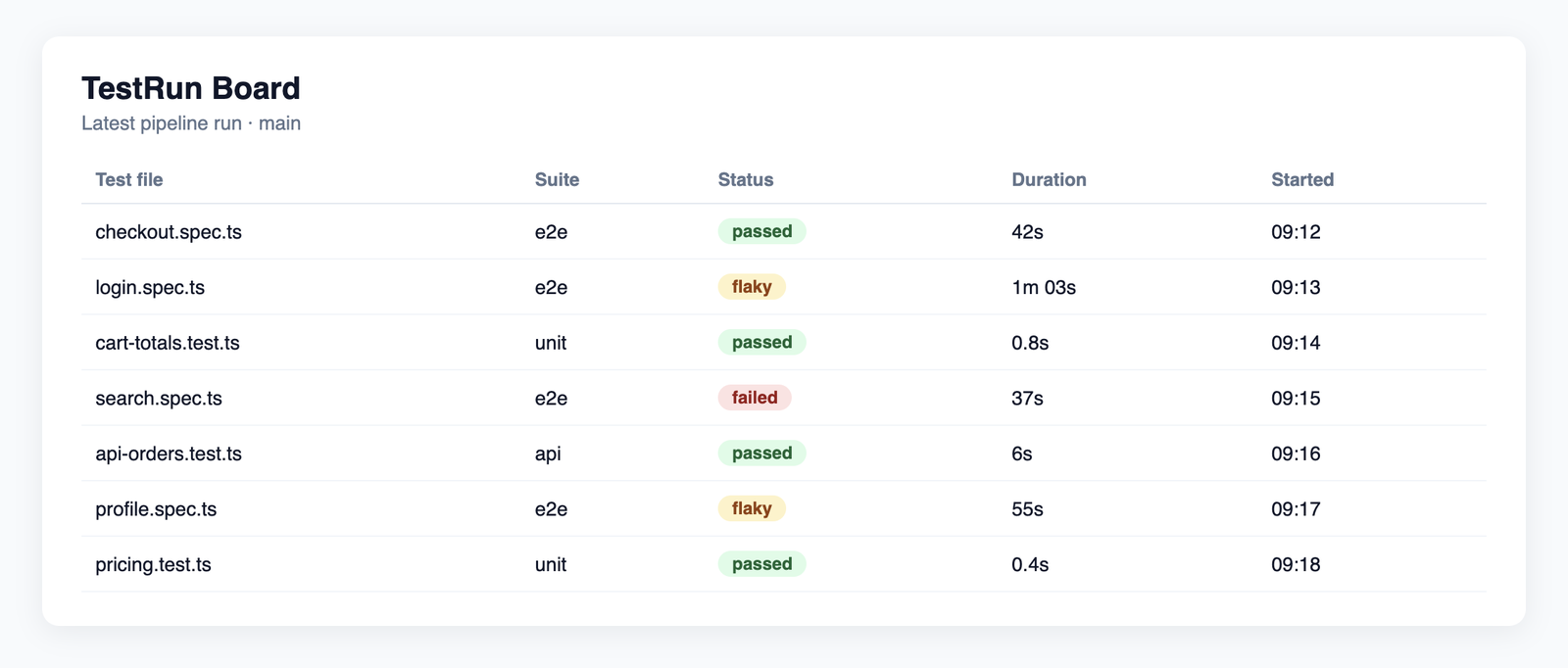
Get it from GitHub: github.com/learn-automated-testing/testrun-board. Clone it, run npm install, npx playwright install chromium and npm run check, and open README.md: its table shows which file belongs to which lesson.
You do not need this exact project. Every exercise works in any repository that has tests and a way to run them. If your own project has no tests yet, start with a small new one: the habits matter more than the code.
Hands-on: check your setup
- Open a terminal in your project and start the agent with
claude(oropencode). - Ask: “Explain how this project is structured and how I run the tests. Do not change anything.”
- Compare the answer with what you know. Where is it wrong or vague? Those gaps are exactly what lesson 3, Context Architecture: CLAUDE.md, AGENTS.md and Rules fixes with context files.
- Ask it to run the test command and report the result.
Walkthrough in TestRun Board
- Clone and check the project:You should see lint and typecheck pass and 13 tests pass in three files.
git clone https://github.com/learn-automated-testing/testrun-board.git cd testrun-board && npm install && npm run check - Run
npm run devand open http://localhost:5173. There is no backend: the API is served by MSW fromtests/mocks/handlers.ts, the same handlers the tests use. - Start your agent in the folder (
claude) and ask: “Explain how this project is structured and how I run the tests. Do not change anything.” - Compare the answer with
AGENTS.md. A good answer namesnpm run checkas the full check,src/lib/for logic andtests/mocks/for the mock API, because those facts are in the context file. - Open
README.md: its table shows which file belongs to which lesson. You will touch most of them during the course.
Key Takeaways
- An agent acts in a loop: read, change, run, observe, decide.
- Your role shifts from writing code to setting goals, context and limits, and reviewing the outcome.
- Use agents freely for scoped features and tests; slow down for security, data and architecture.
- Corrections that persist (files in the repo) beat corrections in chat.